Ready-made activities
English activities ready for tomorrow's class
Pick by grade or level, try it the way your students will and send it to your class. Nothing to build.
Free to use. Nothing to install.
How it works
- Pick one Search by grade, level or the topic of your class.
- Try it as a student Answer the whole activity right here, without an account.
- Send it to your class Take it to your account and share it by link or with a class.
Highlights
Start here
Our own selection for your first class with Nivo. Open one, answer it as a student and see if it suits your class.
By grade
Which is your class?
The grade is a suggestion. Every activity shows its level and can be adjusted once it is in your account.
6th grade
-
 A1 · suggested for 6th grade
Greetings and Introductions: Nice to Meet You!
Students listen to Sofia, a new student, introducing herself and complete the transcript, read a dialogue between two classmates on the first day of school, answer questions, complete a conversation with a teacher, match questions and answers (What is your name? How old are you?), answer open questions and introduce themselves in writing. Listening · Reading · Vocabulary · Writing 50 min View activity -
 A1 · suggested for 6th grade
Family Members: Meet My Family
Students read a short text about Emma's family, answer questions, practice family vocabulary (mother, uncle, cousin…), listen to Jack describing a photo and write about their own family. Reading · Listening · Vocabulary · Writing 50 min View activity -
 A1 · suggested for 6th grade
Food and Drinks: What Do You Like?
Students sort food and drink vocabulary into groups (fruit, vegetables, drinks…), read a dialogue in the school cafeteria, answer questions, match sentence halves (I am thirsty, so I want…), complete sentences with like, likes, don't and doesn't and answer open questions. Vocabulary · Reading · Grammar · Writing 45 min View activity -
 A1 · suggested for 6th grade
School Objects and Classroom Language: What's in My Backpack?
Students read a short text about Nina's backpack and classroom, answer questions, complete sentences with school objects (notebook, ruler, eraser…), match the halves of useful classroom phrases (May I go to the bathroom?), complete the description of a desk with there is / there are, answer open questions and describe their own desk or backpack. Reading · Vocabulary · Grammar · Writing 45 min View activity
7th grade
-
 A1 · suggested for 7th grade
Daily Routine: A Day in Maya's Life
Students listen to Maya describing her day, answer questions about the audio, complete her routine with the verbs (wake up, take a shower, go to school), read about Owen, who goes to school in the afternoon, match sentence halves in the third person (brushes, goes, starts), retell Maya's day using she and answer open questions. Listening · Reading · Grammar · Writing 55 min View activity -
 A2 · suggested for 7th grade
Animals and Their Habitats: Where Do They Live?
Students listen to an animal guessing quiz (Who am I?) and complete the transcript, read an article about animals of the rainforest, the desert, the ocean and the Arctic, answer questions, complete a text with habitat vocabulary (desert, rainforest, fur, feathers…), match the halves of animal facts and answer open questions. Listening · Reading · Vocabulary · Writing 55 min View activity -
 A1 · suggested for 7th grade
Jobs and Occupations: What Do They Do?
Students guess the job in short riddles (I fix cars in a garage…), match each worker with what they do, read a text about the workers in Lia's neighborhood, answer questions, complete an interview with a bus driver (What do you do? Where do you work?) and answer open questions. Vocabulary · Reading · Grammar · Writing 45 min View activity -
 A2 · suggested for 7th grade
My House: There Is and There Are
Students read the description of Hugo's new apartment, answer questions, complete sentences with the rooms of the house (kitchen, bedroom, living room…), use there is, there are, isn't, aren't, some and any to describe a bedroom, match the halves of sentences and questions (Are there any…? How many…?), answer open questions and describe their own home. Reading · Vocabulary · Grammar · Writing 45 min View activity
8th grade
-
 A2 · suggested for 8th grade
Last Weekend: Talking About the Past
Students listen to Nicole's voice message about her weekend and complete it with verbs in the past, read the story of a camping trip that went wrong, answer questions, change irregular verbs from present to past (usually… but yesterday…), match questions and answers with did and was and answer open questions. Listening · Reading · Grammar · Writing 55 min View activity -
 A2 · suggested for 8th grade
Sports and Hobbies: What Do You Like Doing?
Students read the profiles of three students and their hobbies, answer questions, complete a text with like / love / hate + -ing, match sentence halves with play, go and do (play basketball, go camping, do judo), complete the school volleyball team's notice and read three opinions to discuss: are team sports better than individual sports? Reading · Grammar · Vocabulary · Speaking 50 min View activity -
 A2 · suggested for 8th grade
Technology in Our Lives: Then and Now
Students complete sentences with technology verbs (send, download, search, charge…), read an article comparing how a grandmother and her granddaughter did homework and talked to friends, answer questions, match each device with what it is for, complete six online safety tips and read three opinions to discuss cell phones at school. Vocabulary · Reading · Speaking 50 min View activity
9th grade
-
 B1 · suggested for 9th grade
Short Story: The Phone on the Bus (Reading Comprehension)
Students read a short story about Elisa, who finds a phone on a bus and has to decide what to do, with a vocabulary x-ray and a glossary. Then they answer questions, complete a summary of the story, use adjectives for feelings (tempted, ashamed, relieved…), match sentences with linking words, read three opinions about rewards and answer open questions. Reading · Vocabulary · Grammar · Speaking · Writing 60 min View activity -
 A2 · suggested for 9th grade
Travel Plans: Going To and Will
Students listen to Marina's message to her grandmother about a trip in July, answer questions and complete the plans with going to, read a dialogue between two friends planning a weekend in the mountains, match sentence halves with going to and will, complete the plans for a school trip and answer open questions. Listening · Reading · Grammar · Writing 55 min View activity -
 B1 · suggested for 9th grade
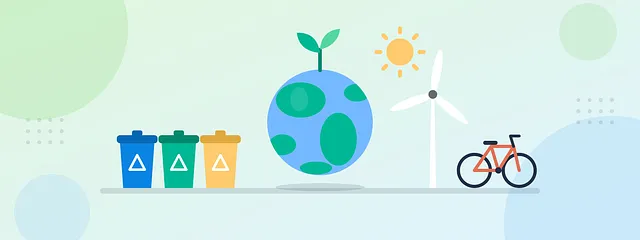
The Environment: Small Actions, Big Changes
Students read an article about a school that reduced its waste in one month, answer questions, complete a text with waste, reduce, reuse, recycle and save, match sentence halves with If… will (first conditional), read three points of view on the impact of small individual actions and answer open questions in writing. Reading · Vocabulary · Grammar · Speaking · Writing 60 min View activity
High school
-
 B1 · suggested for High school
Jobs of the Future: Skills for Tomorrow
Students listen to a podcast clip about jobs that do not exist yet, answer questions, complete the transcript, read an article about the skills that will matter most in the future, match the halves of predictions (will, may, be likely to), read three points of view on robots and artificial intelligence at work and answer open questions. Listening · Reading · Vocabulary · Speaking · Writing 60 min View activity -
 B1 · suggested for High school
Social Media: Pros and Cons
Students complete a text with social media vocabulary, read an article about a teenager who spent 30 days without social media, answer questions, match sentence halves with linking words (although, however, so that…), complete a paragraph with opinion expressions (In my opinion, On the one hand…), read the views of three generations and answer open questions. Reading · Vocabulary · Grammar · Speaking · Writing 60 min View activity -
 B1 · suggested for High school
Travel English: A Voicemail from the Hotel
Students listen to a hotel receptionist's voicemail, check the booking details, complete the transcript, read a guest review, match useful hotel phrases, discuss tourist taxes and answer open questions. Listening · Reading · Vocabulary · Speaking 60 min View activity
Adults
-
 B1 · suggested for Adults
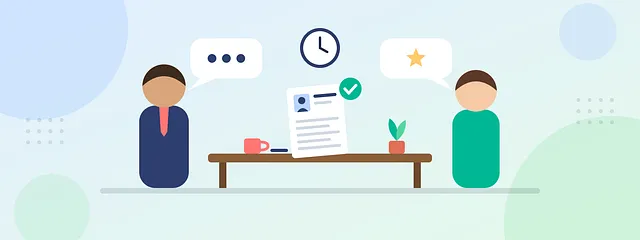
Job Interview: Getting Your First Job
Students listen to a voicemail inviting Camila to an interview and note down the details, read her interview at a bookstore, where she has no experience to show, match typical questions with good answers, complete Camila's draft answer, compare it with a more professional version (with a vocabulary x-ray) and answer open questions. Listening · Reading · Vocabulary · Writing 60 min View activity -
 B2 · suggested for Adults
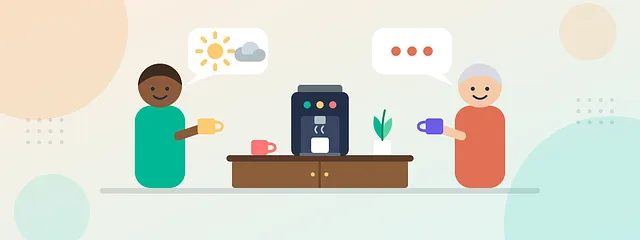
Small Talk at Work: Breaking the Ice
Students listen to a podcast clip on why small talk matters at work, answer questions, complete the transcript with expressions such as break the ice and steer clear of, read a dialogue between colleagues at the coffee machine, match comments with natural replies, read three points of view on small talk and answer open questions. Listening · Reading · Vocabulary · Speaking 60 min View activity -
 A2 · suggested for Adults
At the Airport and Hotel: Survival English for Travelers
Students listen to a gate-change announcement at the airport, answer questions and complete the notes, go through the steps of boarding with the essential vocabulary (suitcase, boarding pass, security, gate…), read a hotel check-in dialogue, match useful questions and answers at the front desk (What time is breakfast?) and answer open questions. Listening · Reading · Vocabulary · Writing 55 min View activity
By level, skill and topic
Or search by what the class needs
Each shortcut opens the list already filtered. You can combine it with other filters afterwards.
Level
Skill
Full catalog
All activities
Combine level, grade, skill and topic to reach the right activity.
-
B1 · suggested for 9th grade
Short Story: The Phone on the Bus (Reading Comprehension)
Students read a short story about Elisa, who finds a phone on a bus and has to decide what to do, with a vocabulary x-ray and a glossary. Then they answer questions, complete a summary of the story, use adjectives for feelings (tempted, ashamed, relieved…), match sentences with linking words, read three opinions about rewards and answer open questions. Reading · Vocabulary · Grammar · Speaking · Writing 60 min View activity -
A1 · suggested for 7th grade
Daily Routine: A Day in Maya's Life
Students listen to Maya describing her day, answer questions about the audio, complete her routine with the verbs (wake up, take a shower, go to school), read about Owen, who goes to school in the afternoon, match sentence halves in the third person (brushes, goes, starts), retell Maya's day using she and answer open questions. Listening · Reading · Grammar · Writing 55 min View activity -
A2 · suggested for 8th grade
Last Weekend: Talking About the Past
Students listen to Nicole's voice message about her weekend and complete it with verbs in the past, read the story of a camping trip that went wrong, answer questions, change irregular verbs from present to past (usually… but yesterday…), match questions and answers with did and was and answer open questions. Listening · Reading · Grammar · Writing 55 min View activity -
A1 · suggested for 6th grade
Greetings and Introductions: Nice to Meet You!
Students listen to Sofia, a new student, introducing herself and complete the transcript, read a dialogue between two classmates on the first day of school, answer questions, complete a conversation with a teacher, match questions and answers (What is your name? How old are you?), answer open questions and introduce themselves in writing. Listening · Reading · Vocabulary · Writing 50 min View activity -
B1 · suggested for Adults
Job Interview: Getting Your First Job
Students listen to a voicemail inviting Camila to an interview and note down the details, read her interview at a bookstore, where she has no experience to show, match typical questions with good answers, complete Camila's draft answer, compare it with a more professional version (with a vocabulary x-ray) and answer open questions. Listening · Reading · Vocabulary · Writing 60 min View activity -
B1 · suggested for High school
Jobs of the Future: Skills for Tomorrow
Students listen to a podcast clip about jobs that do not exist yet, answer questions, complete the transcript, read an article about the skills that will matter most in the future, match the halves of predictions (will, may, be likely to), read three points of view on robots and artificial intelligence at work and answer open questions. Listening · Reading · Vocabulary · Speaking · Writing 60 min View activity -
A2 · suggested for 9th grade
Travel Plans: Going To and Will
Students listen to Marina's message to her grandmother about a trip in July, answer questions and complete the plans with going to, read a dialogue between two friends planning a weekend in the mountains, match sentence halves with going to and will, complete the plans for a school trip and answer open questions. Listening · Reading · Grammar · Writing 55 min View activity -
A2 · suggested for 7th grade
Animals and Their Habitats: Where Do They Live?
Students listen to an animal guessing quiz (Who am I?) and complete the transcript, read an article about animals of the rainforest, the desert, the ocean and the Arctic, answer questions, complete a text with habitat vocabulary (desert, rainforest, fur, feathers…), match the halves of animal facts and answer open questions. Listening · Reading · Vocabulary · Writing 55 min View activity -
B2 · suggested for Adults
Small Talk at Work: Breaking the Ice
Students listen to a podcast clip on why small talk matters at work, answer questions, complete the transcript with expressions such as break the ice and steer clear of, read a dialogue between colleagues at the coffee machine, match comments with natural replies, read three points of view on small talk and answer open questions. Listening · Reading · Vocabulary · Speaking 60 min View activity -
A2 · suggested for 8th grade
Sports and Hobbies: What Do You Like Doing?
Students read the profiles of three students and their hobbies, answer questions, complete a text with like / love / hate + -ing, match sentence halves with play, go and do (play basketball, go camping, do judo), complete the school volleyball team's notice and read three opinions to discuss: are team sports better than individual sports? Reading · Grammar · Vocabulary · Speaking 50 min View activity -
B1 · suggested for High school
Social Media: Pros and Cons
Students complete a text with social media vocabulary, read an article about a teenager who spent 30 days without social media, answer questions, match sentence halves with linking words (although, however, so that…), complete a paragraph with opinion expressions (In my opinion, On the one hand…), read the views of three generations and answer open questions. Reading · Vocabulary · Grammar · Speaking · Writing 60 min View activity -
B1 · suggested for 9th grade
The Environment: Small Actions, Big Changes
Students read an article about a school that reduced its waste in one month, answer questions, complete a text with waste, reduce, reuse, recycle and save, match sentence halves with If… will (first conditional), read three points of view on the impact of small individual actions and answer open questions in writing. Reading · Vocabulary · Grammar · Speaking · Writing 60 min View activity -
A1 · suggested for 6th grade
Family Members: Meet My Family
Students read a short text about Emma's family, answer questions, practice family vocabulary (mother, uncle, cousin…), listen to Jack describing a photo and write about their own family. Reading · Listening · Vocabulary · Writing 50 min View activity -
A2 · suggested for Adults
At the Airport and Hotel: Survival English for Travelers
Students listen to a gate-change announcement at the airport, answer questions and complete the notes, go through the steps of boarding with the essential vocabulary (suitcase, boarding pass, security, gate…), read a hotel check-in dialogue, match useful questions and answers at the front desk (What time is breakfast?) and answer open questions. Listening · Reading · Vocabulary · Writing 55 min View activity -
A1 · suggested for 6th grade
Food and Drinks: What Do You Like?
Students sort food and drink vocabulary into groups (fruit, vegetables, drinks…), read a dialogue in the school cafeteria, answer questions, match sentence halves (I am thirsty, so I want…), complete sentences with like, likes, don't and doesn't and answer open questions. Vocabulary · Reading · Grammar · Writing 45 min View activity -
B1 · suggested for High school
Travel English: A Voicemail from the Hotel
Students listen to a hotel receptionist's voicemail, check the booking details, complete the transcript, read a guest review, match useful hotel phrases, discuss tourist taxes and answer open questions. Listening · Reading · Vocabulary · Speaking 60 min View activity -
A1 · suggested for 6th grade
School Objects and Classroom Language: What's in My Backpack?
Students read a short text about Nina's backpack and classroom, answer questions, complete sentences with school objects (notebook, ruler, eraser…), match the halves of useful classroom phrases (May I go to the bathroom?), complete the description of a desk with there is / there are, answer open questions and describe their own desk or backpack. Reading · Vocabulary · Grammar · Writing 45 min View activity -
A1 · suggested for 7th grade
Jobs and Occupations: What Do They Do?
Students guess the job in short riddles (I fix cars in a garage…), match each worker with what they do, read a text about the workers in Lia's neighborhood, answer questions, complete an interview with a bus driver (What do you do? Where do you work?) and answer open questions. Vocabulary · Reading · Grammar · Writing 45 min View activity -
 A1 · suggested for 6th grade
Numbers, Days and Months: When Is Your Birthday?
Students read about Ruby's week and her family's birthdays, answer questions, complete the sequence of days and months, listen to Oscar's birthday party invitation and note down the date, times and numbers, match sentences with numbers in words (sixty minutes, fifty-two weeks) and answer open questions. Reading · Listening · Vocabulary · Writing 50 min View activity -
A2 · suggested for 8th grade
Technology in Our Lives: Then and Now
Students complete sentences with technology verbs (send, download, search, charge…), read an article comparing how a grandmother and her granddaughter did homework and talked to friends, answer questions, match each device with what it is for, complete six online safety tips and read three opinions to discuss cell phones at school. Vocabulary · Reading · Speaking 50 min View activity -
A2 · suggested for 7th grade
My House: There Is and There Are
Students read the description of Hugo's new apartment, answer questions, complete sentences with the rooms of the house (kitchen, bedroom, living room…), use there is, there are, isn't, aren't, some and any to describe a bedroom, match the halves of sentences and questions (Are there any…? How many…?), answer open questions and describe their own home. Reading · Vocabulary · Grammar · Writing 45 min View activity
After you pick
The activity comes ready. The class is still yours.
When you take an activity to your account, it becomes your own copy: to adjust, send and follow.
-
Edit
Change whatever you want
Change texts and questions, reorder or remove blocks. The original stays here, in the library.
-
Send
By link or with a class
Students answer online, on a phone or a computer, and you follow each one's answers.
-
Create with AI
Or create your own from scratch
You give the topic and the level; Nivo builds the text, audio, questions and gap-fills. The free account comes with 500 credits to try it.
Go ahead and ask
Before you pick the first one.
Straight answers about the activity library.
Is it free?
Yes. Viewing, trying and taking library activities to your account is free and doesn't use credits. The free account asks for no card and includes 500 credits, granted once, for you to create your own activities with AI.
Do I need to install anything?
No. Nivo runs in the browser, on a computer or a phone. Your students also open the activity in the browser, with nothing to install.
Can I edit the activity?
Yes. When you take an activity to your account, it becomes your own copy: you can change texts and questions, reorder or remove blocks. The original activity stays in the library.
How do my students answer?
Online. You share a link and the student answers in the browser, giving only their name. If you prefer, add the activity to a class: students join with a student account, through your invitation. The answers stay with you, in Nivo.
Can I print it?
Not yet. Activities are answered online, by link or in a class. A printable version is not available yet.
Tomorrow's class can already be ready.
Pick an activity, try it as a student and take it to your class.
500 free credits · No credit card