Share by Public Link
How to release an activity for people without a Nivo account, how the student identifies themselves, and where you see those responses.
Updated on
The public link is for the most common case of all: you want someone to answer right now, on their phone, without creating an account. Test class, substitute lesson, workshop, WhatsApp group.
Step by step
- Open the exercise in the builder.
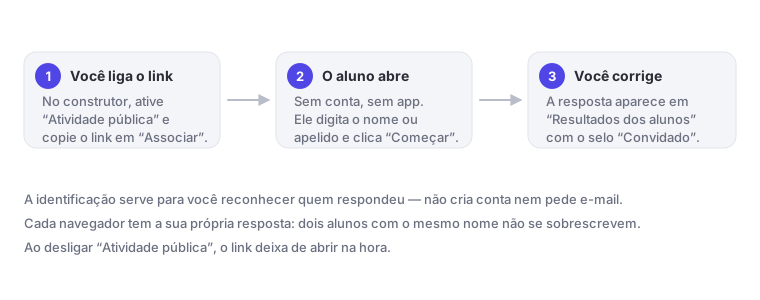
- In the exercise options menu, turn on Public Activity. The hint next to it warns: anyone with the link can respond without logging into the platform.
- Click Assign.
- In the Share via link section, use Copy link (or Show QR to project).
- Send the link.
What the student sees
They open the link and land on a screen called Before you see the activity…, with one field: Type your name or nickname here. They click Start and begin answering.
It's not a login: it doesn't ask for email or password, and doesn't create an account. The name is for you to recognize the response in the list.
Each browser keeps its own response. Two students who type the same name on different phones generate two separate responses — nobody overwrites anybody. And, after finishing, the response is locked: they can't resubmit.
Where you see the responses
On the same screen as always: Student Results, inside the exercise. Responses that came from the link appear with a Guest badge and the label "Response via public link". Anyone who didn't type a name appears as Anonymous Participant.
To close the link
Turn off Public Activity. The link stops opening right away and anyone who tries to enter sees a warning that the teacher didn't authorize sharing.
Note: the Copy link button appears even when Public Activity is off. If a student says "the link won't open", first check if the toggle is on.
Tip: you can use the public link and the class at the same time. Anyone enrolled sees the activity on the wall; anyone who got the link responds as a guest.